Turn a product brief into a prototype clients can tap.
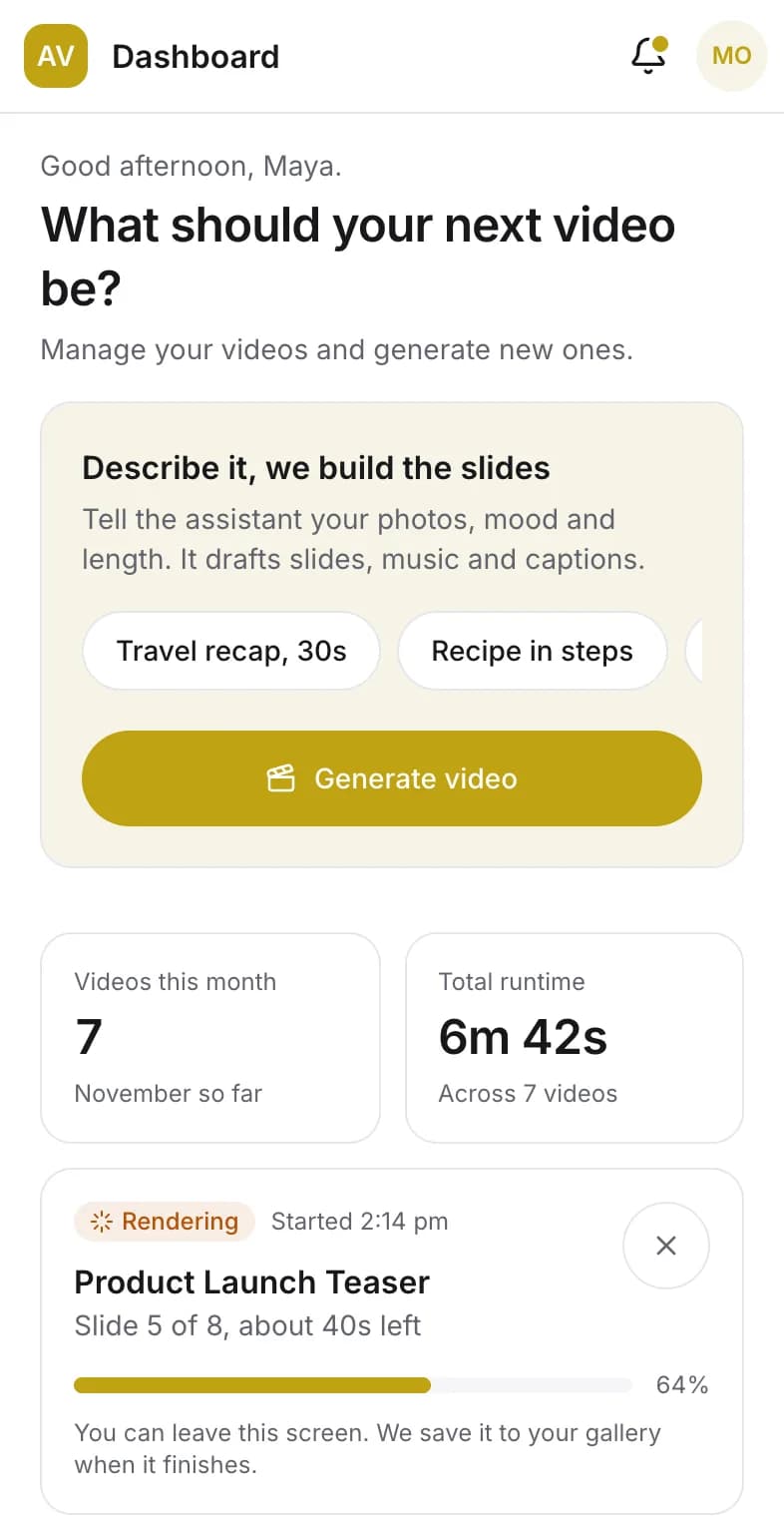
Proty writes the design spec, the architecture and the prompt for your coding agent, draws every screen, then builds a clickable prototype you share by link. The video app on this page came from a two-sentence brief and a list of six features.
From the video app's brief, in the order Proty wrote them:
- design.md2,837 wordsWritingDone
- architecture.md1,412 wordsWritingDone
- wireframes4 screens, 10 flowsWritingDone
- prototype4 clickable screensWritingDone
- prompt.md840 wordsWritingDone
What happens to a brief
Step 1 of 5
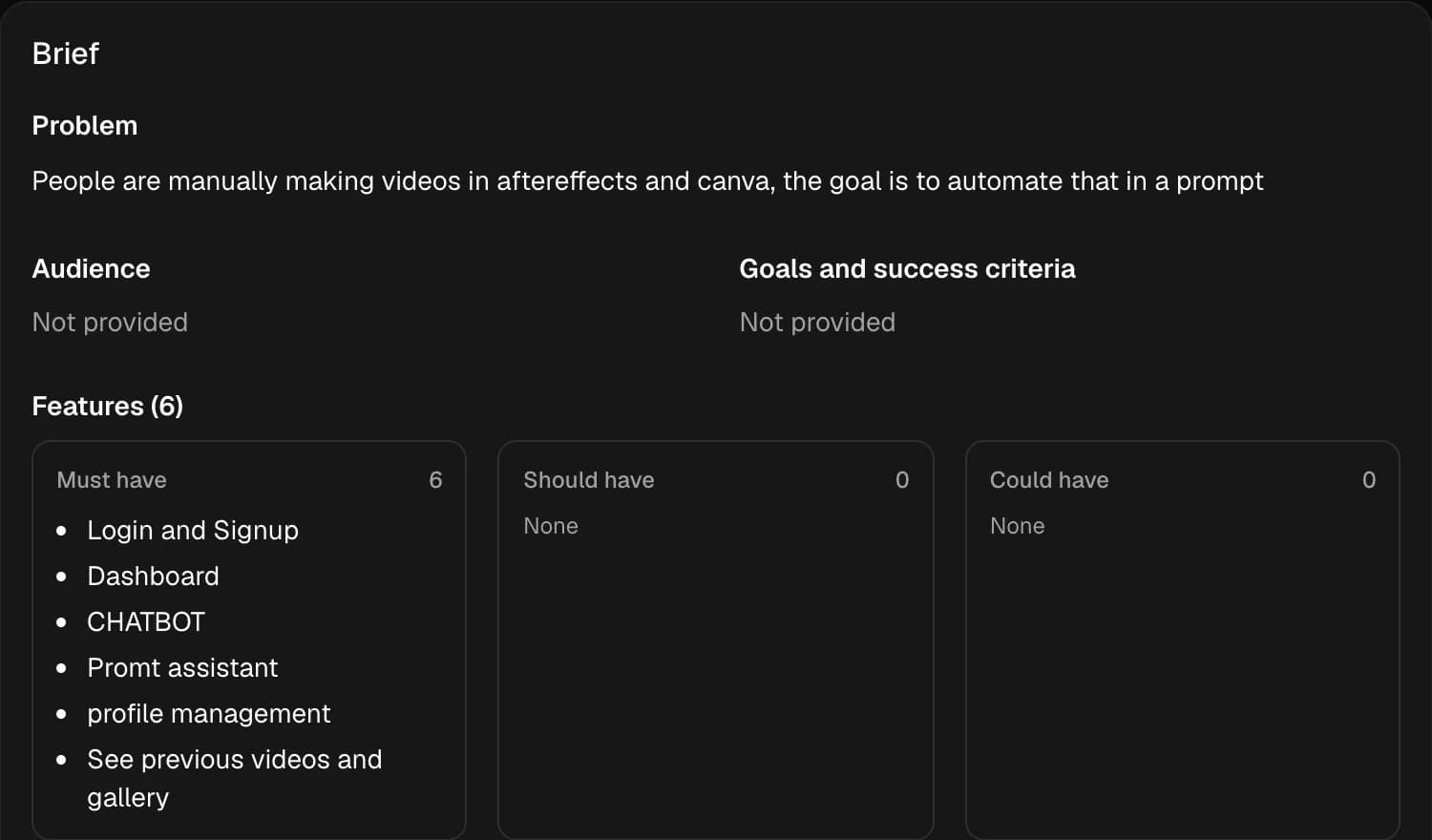
Write the brief
The problem, who it is for, the features it must have, the look, the stack and the date of the demo. Attach the PDF, the sketch or the competitor screenshot; Proty reads them with the brief.
Step 2 of 5
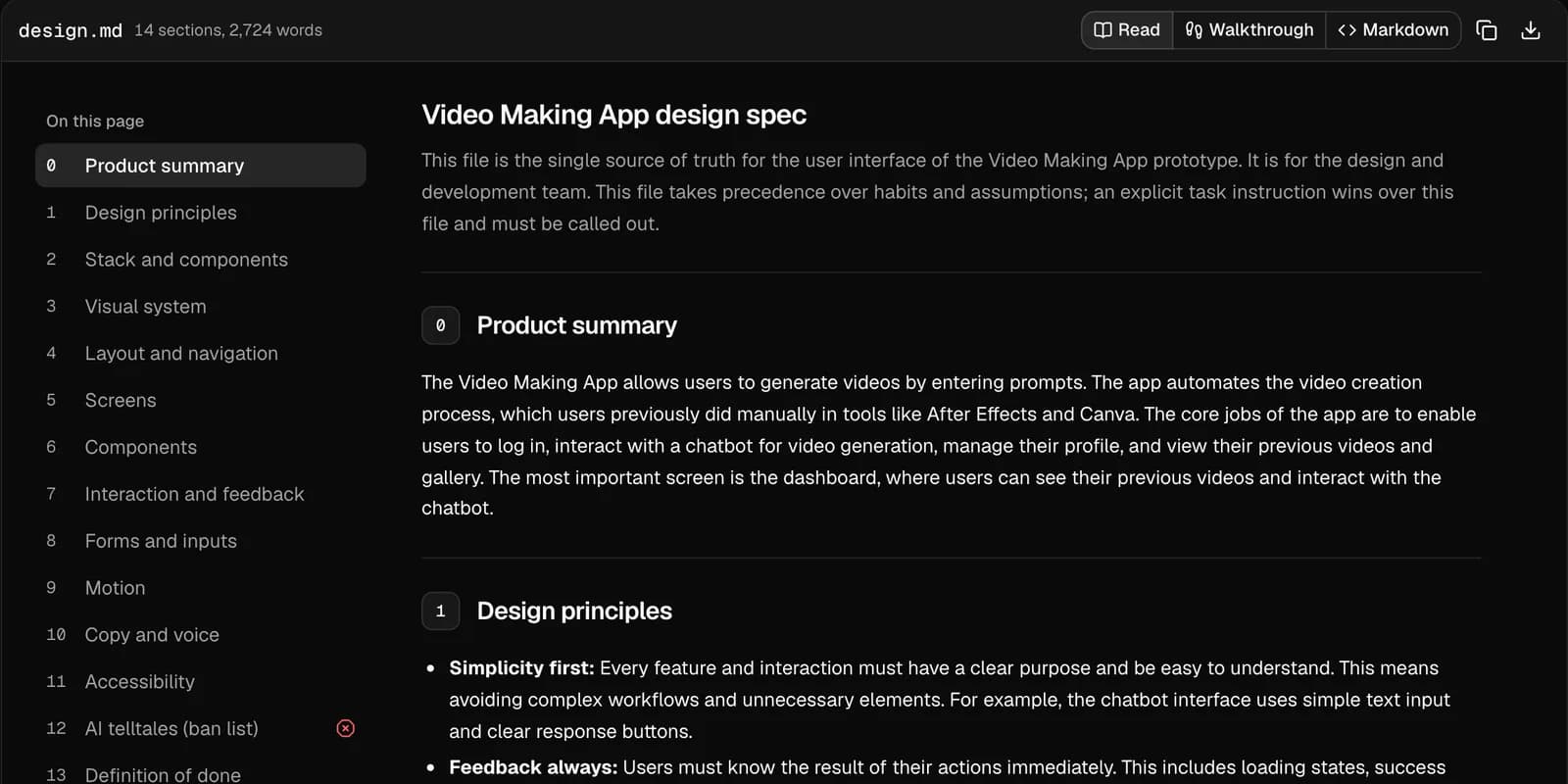
Read the spec your agent will follow
design.md sets the tokens, every screen with its states, the copy rules and a list of patterns the build must not use. architecture.md sizes the stack and the plan to your demo date.
Step 3 of 5
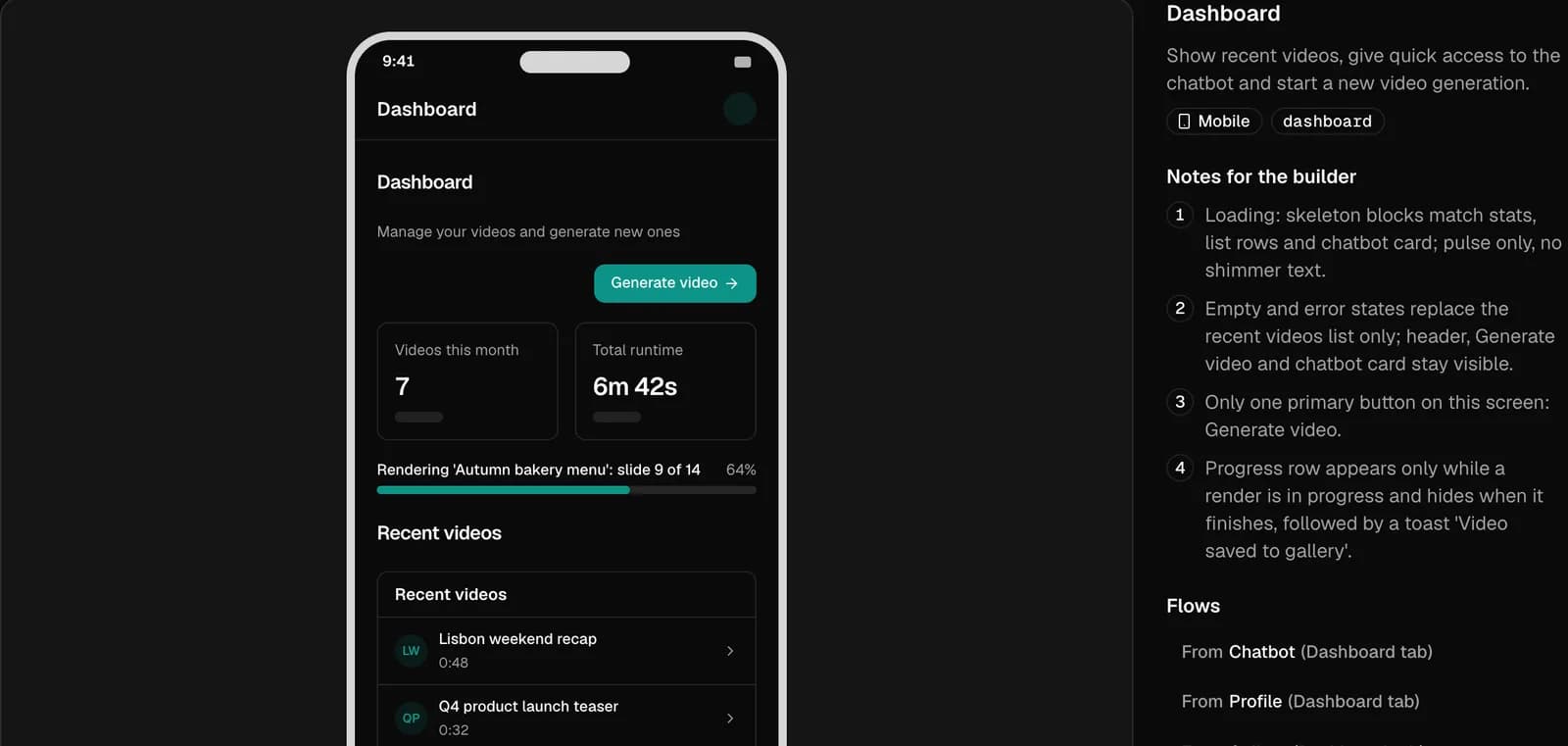
Check every screen before it is built
Wireframes for each screen, with the content it shows and notes for the builder on what loads, what is empty and what fails.
Step 4 of 5
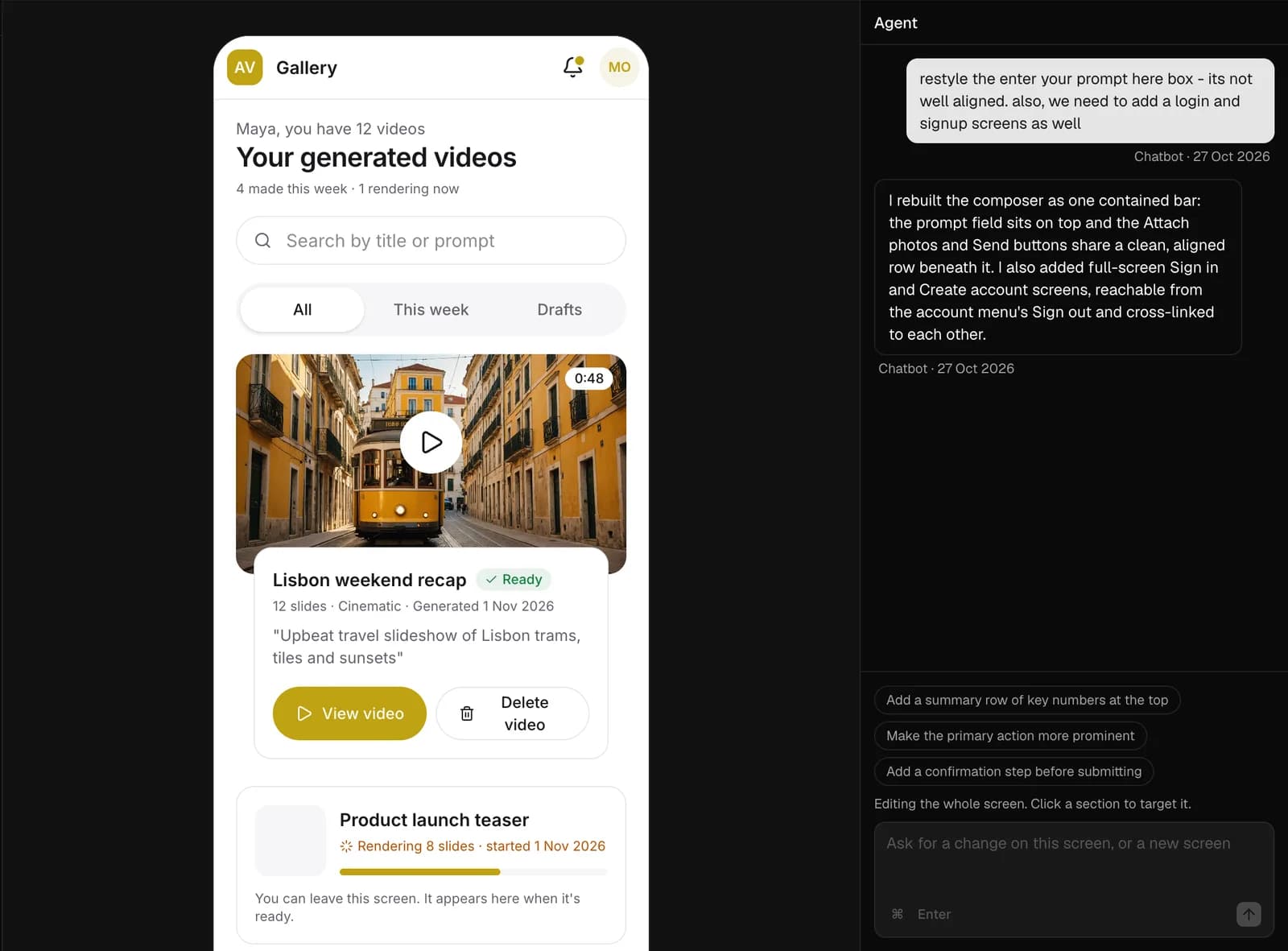
Change it in the studio
Select a section and say what you want. The agent rebuilds that part only. Every change, the agent's included, can be undone.
Step 5 of 5
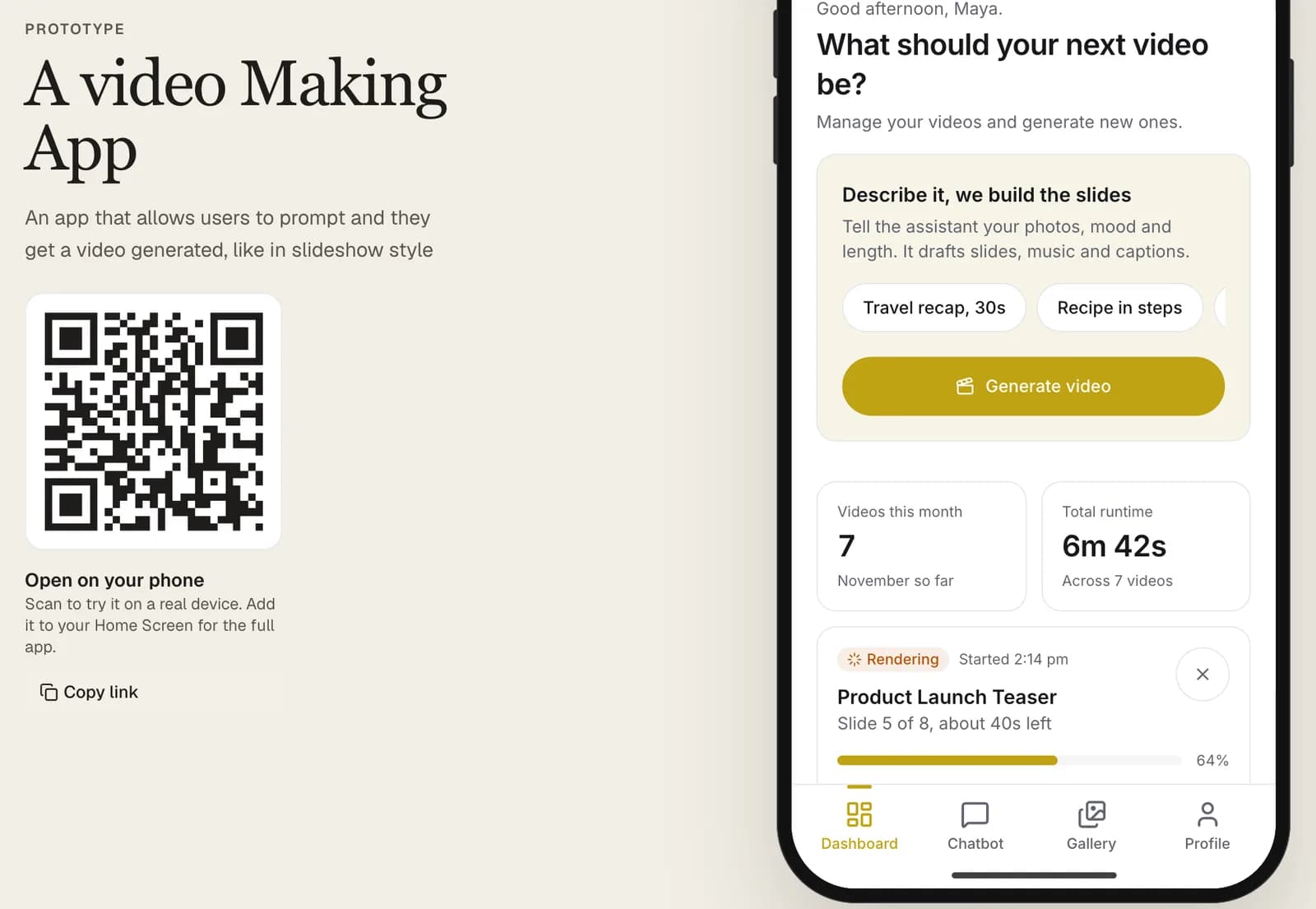
Send the link
Your client opens the prototype on their own phone, with no account. You see how many times it was opened, and by how many people.
The client approves what the agent builds
The prototype and the spec come from the same brief, so they agree. Download them as one bundle and your coding agent starts from the screens your client already tapped through.
| File | What is in it | Who reads it |
|---|---|---|
| design.md | Tokens, every screen with its content and states, copy rules, the patterns to avoidYour coding agent and your designer | Your coding agent and your designer |
| architecture.md | Stack, data model, API and a build plan sized to the demo dateYour coding agent and your lead developer | Your coding agent and your lead developer |
| wireframes.md | Every screen and the flows between them, as text and as JSONYour coding agent | Your coding agent |
| prompt.md | What to read first, the order to build in, and how to report backThe first message to Claude Code, Cursor or Codex | The first message to Claude Code, Cursor or Codex |
| prototype/ | The clickable screens as HTML and Tailwind CSSYour client, and anyone checking the build against it | Your client, and anyone checking the build against it |
Pricing
Every plan has the full studio. Paid plans add room to work and what a team presenting to clients needs.
| Feature | Free Try Proty on a real project $0 No card needed Start free | Pro For people who present every week $29 a month Try Pro for 14 days | Team For agencies and product teams $39 per member, a month Try Team for 14 days |
|---|---|---|---|
| Prototypes | 3 | Unlimited | Unlimited |
| Generation runs a month | 5 | 60 | 60 per member |
| Studio agent edits a month | 40 | 800 | 800 per member |
| Members | 1 | 1 | Any number |
| design.md, architecture.md and prompt.md | |||
| Wireframes and clickable prototypes | |||
| Share links with view counts | |||
| Download the bundle for your coding agent | |||
| Phone version of a desktop prototype | |||
| Your own design rules | |||
| Your own model key, not counted | |||
| Share links without the Proty badge | |||
| Admins and view-only clients | |||
| Your logo on share pages | |||
| Workspace audit log |
Prices in US dollars, before tax. Paid plans start with a 14-day trial. Cancel any time and keep the plan until the end of the period you paid for.
Questions teams ask before they start
Start with the brief you already have.
Free includes three prototypes. No card needed.